Extending Shopify Flow with custom triggers and actions
Shopify Flow is useful, but it often feels incomplete once you try to automate anything beyond basic workflows. You quickly run into gaps. Specifically, triggers or actions that are missing. At that point, many teams either abandon Flow or stack fragile workarounds on top of it.
On Shopify Plus, there is a cleaner option. You can extend Flow itself by adding custom triggers and actions through a custom app.
This article explains where Flow falls short, how custom Flow extensions work, and when this approach is worth using.
Where Shopify Flow usually falls short
Flow’s limitations show up in two areas: triggers and actions.
Missing triggers
Triggers define when a workflow starts. Flow covers common events, but many important ones are missing. A common example is "Product updated." That seems basic, yet it is not available out of the box.
Without these triggers, some automations are either impossible, or require hacks. You end up polling data or building parallel systems outside Flow.
Missing actions
Actions define what Flow can actually do. Here too, the gaps are noticeable. For example, Flow cannot directly use bulk mutations to update thousands of products.
How custom Flow extensions work
Shopify provides a feature that allows apps to define their own Flow triggers and actions. This applies to custom apps on Plus, and to public apps for non-Plus stores.
The setup is relatively simple:
Create an app.
Add a
flow_triggerorflow_actionextension.Connect that extension to your backend logic.
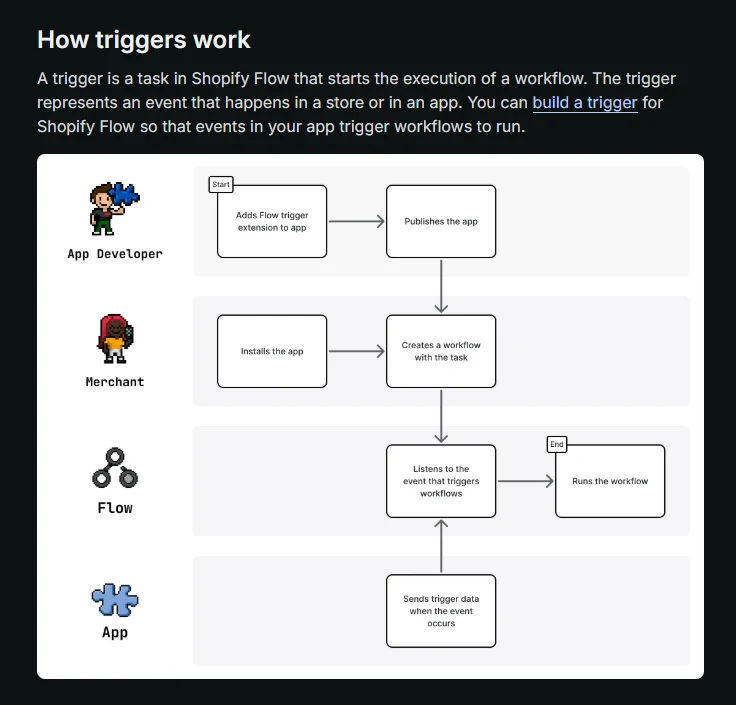
For triggers, your app calls a mutation when the event happens. That mutation tells Flow to start a workflow.
For actions, you provide an endpoint. When Flow runs the action, Shopify sends a request to your app, and your app performs the work.
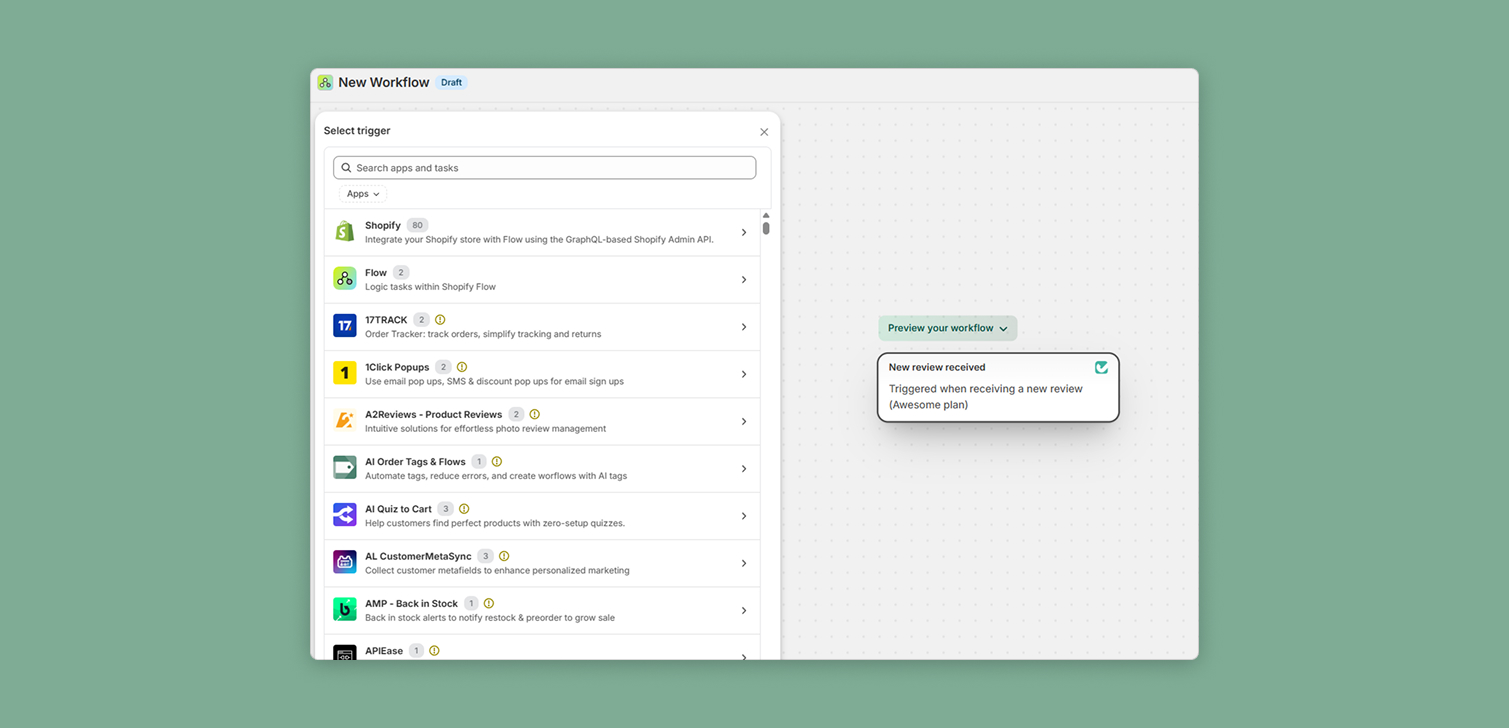
Once defined, these triggers and actions appear directly inside the Shopify Flow UI. Merchants and internal teams can use them like any native Flow step.
An important side benefit is security. This approach avoids the generic "Send HTTP request" action. Instead, Shopify controls the communication between Flow and your app.
Practical examples where this helps
Custom Flow extensions are most useful when you need automation that reacts to internal or non-standard events.
Here are a few examples that come up often:
Trigger: Product metafield changed Useful when metafields drive business logic, pricing rules, or integrations.
Trigger: Variant updated There is no variant-level update trigger. Changes to SKU, barcode, weight, or option values cannot directly start a Flow workflow.
Action: Edit order line item properties Useful for tagging, personalization, or fulfillment logic.
Action: Email customer Lets you control transactional or marketing messaging without relying on external automation tools.
These examples work best when Flow acts as the control plane, while the app handles the actual logic.
Plus vs non-Plus considerations
Custom Flow extensions via custom apps are currently limited to Shopify Plus. That matters, but it does not mean non-Plus stores are locked out entirely.
There are public apps that allow you to add triggers and actions to Flow. Although they may be more limited, depending on the use case.
FAQ
Is this meant to replace Shopify Flow? No. Flow remains the orchestration layer. Custom triggers and actions extend what Flow can react to and perform.
Do I need a complex backend to do this? Not necessarily. Many actions only require a simple endpoint and a small amount of logic.
Is this more secure than Send HTTP request? Yes. Shopify manages authentication and signing, reducing exposure and configuration risk.
Does this increase maintenance overhead? Somewhat. You are adding an app to maintain, but you also remove brittle workarounds.
Conclusion
For many stores, especially on Plus, custom triggers and actions are the missing layer that turns Flow into a practical automation system.
By extending Flow instead of bypassing it, you keep workflows visible, configurable, and closer to the Shopify admin. That usually leads to simpler systems and fewer surprises over time.