The mobile keyboard mistake many Shopify stores still make
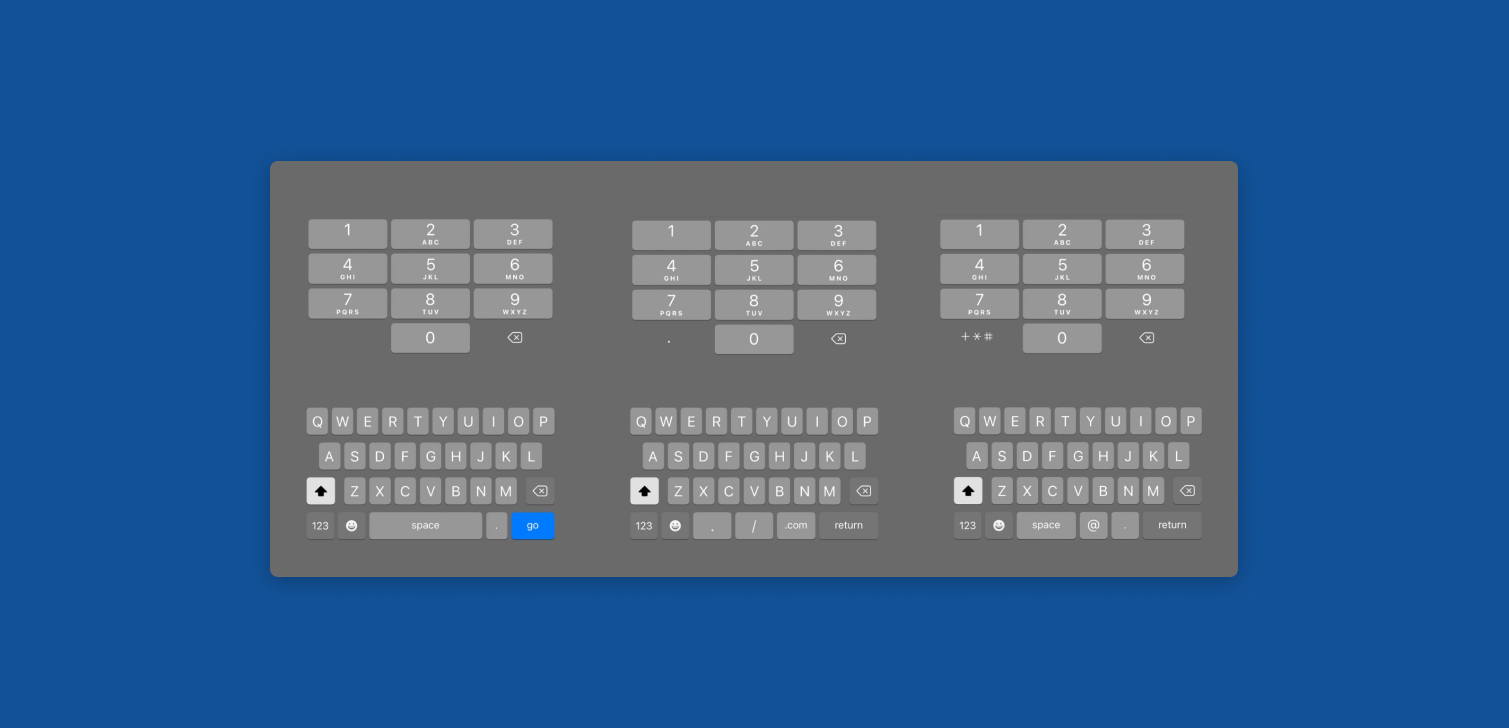
Mobile UX issues are often about buttons, layout, and speed. But there's one that shows up everywhere in Shopify storefronts: inputs that open the wrong keyboard.
On a phone, the keyboard is not neutral. It changes based on the input type you set in HTML. If you don’t set it correctly, shoppers get a generic text keyboard when they should get an email keyboard, number pad, or a keyboard optimized for names. That means extra taps, extra friction, and more chances for someone to give up.
This is easy to miss if you mainly QA on desktop or in a resized browser window. It’s also easy to miss if you test on mobile but only look at the page, not the keyboard.
Why the keyboard matters in Shopify storefronts
When a shopper taps an input, the browser picks a keyboard layout. It does that based on things like type, inputmode, and sometimes autocomplete.
A few common situations where this shows up:
Customer login and account creation
Email fields using
type="text"instead oftype="email".Result: harder to find
@and.com, plus worse autofill support.
Quantity selectors
A quantity input using
type="text"opens a full keyboard.Result: customers tap numbers on a top row instead of a number pad.
Discount code fields
Discount codes are usually text, but sometimes a theme forces numeric mode.
Result: annoying if the code has letters.
Each case is small, but they stack up. A checkout flow already has enough steps. You don’t want “find the right key” to be one of them. That's also why it's important to carefully design user flows.
Practical examples for Shopify themes
Here are examples from real Shopify themes.
Note: Password login will be deprecated at some point. The new sign-in experience is controlled by Shopify, where themes don't have any control. This includes the customer account pages, where the phone and address can be edited.
Email and login inputs
Common issue: a theme renders email with type="text".
Better:
Use
type="email"Use
autocomplete="email"Optional:
inputmode="email"
This usually gives you the email keyboard and better autofill.
Quantity input on product and cart
Common issue: quantity is an <input type="text"> because the theme wants to support custom validation.
Better:
Use
type="number"Or
type="text" inputmode="numeric"if you want more controlAdd
pattern="[0-9]*"as a fallback for some browsers
On iOS and Android, inputmode="numeric" is often the simplest way to get the keypad without side effects.
Phone number fields
Common issue: phone uses plain text, so customers get a full keyboard.
Better:
Use
type="tel"Use
autocomplete="tel"
This pulls up a phone-friendly keypad and improves autofill.
Zip and postal code
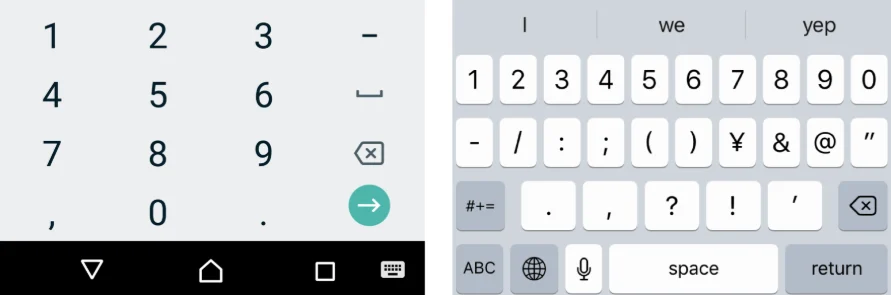
Common issue: postal code is set to type="number", which breaks countries with letters in codes.
Better:
Use
type="text"inputmode="numeric"only if your store is truly numeric-only (many are not)Use
autocomplete="postal-code"
This is one of those places where “number keyboard” is tempting, but it can be wrong depending on your markets.
How to audit and fix it in a Shopify project
You just need a phone and a checklist.
Run the full user journey on mobile
Home to collection
Product page interactions
Cart updates
Login (if relevant)
Address entry and checkout steps you can access
Tap every input and watch the keyboard
Don’t just check the placeholder text.
Actually tap and see what opens.
Fix the Liquid/snippet source, not just one template
This might require help from a developer.
Prefer safe attributes that help UX
typefor semantic meaning (email, tel)inputmodefor keyboard layout (numeric, decimal)autocompletefor autofill behavior
FAQ
How do I force the email keyboard on mobile?
Use type="email" on the input. Adding autocomplete="email" also helps with autofill.
What’s the difference between type and inputmode?
type defines what the field is (email, tel, number). inputmode hints what keyboard layout to show (numeric, decimal) without changing the field’s meaning.
Can this affect conversion, or is it just a nice detail? It can affect conversion in small ways, especially on mobile-heavy stores. The impact comes from fewer taps, fewer typos, smoother autofill.
Where should I look in a Shopify theme to fix this fast? Start with shared snippets: product form, cart quantity, and search. Fixing one snippet can clean up multiple pages. Don't forget to properly comment your code.
Conclusion
A lot of Shopify optimization focuses on page speed, layout, and CTAs. Those matter, but the keyboard is part of the flow too. If your storefront opens the wrong keyboard for common inputs due to the theme or a low-quality app, you’re adding friction that shoppers feel immediately.