Content targeting in Shopify: a practical way to tailor your storefront by Market
Shopify’s Market tools help teams localize storefronts, but not every plan includes per-Market theme editing.
When that feature isn’t available, merchants often end up cloning templates and maintaining separate versions.
That works for a while, but it can become messy and slow.
There’s a cleaner path that uses Market metafields, which are not just used for direct translations. It lets you keep one template and still deliver different content to each Market.
This article explains how the approach works, why it’s useful in everyday scenarios, and how to set it up without heavy development work.
Why lower plan limits create friction
On higher Shopify plans, you can switch Markets inside the theme editor, then adjust content for each Market. Lower plans don’t include this control. What usually happens is a workaround that involves extra templates.
A simple example helps:
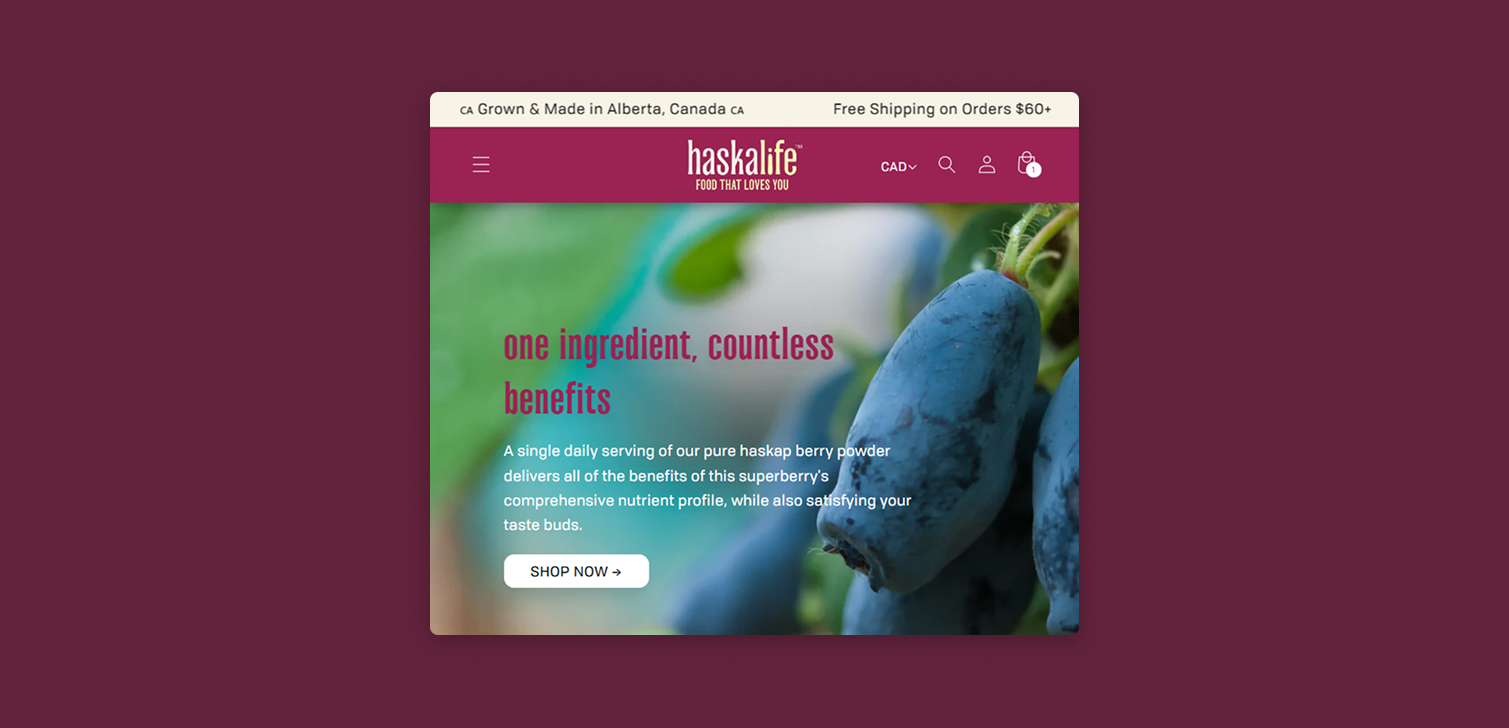
Imagine you want to tell U.S. customers they get free shipping over 100 dollars. For international shoppers, maybe the threshold is 150 dollars. Without per-Market editing, both groups see the same announcement unless you create custom code or duplicate templates. Over time, this adds overhead.
Market metafields change things because they behave like any other dynamic source in the theme editor. If each Market has its own metafield value, you can pull it into any block or section. The theme stays aligned, and the content stays flexible.
How Market metafields fit into your workflow
You define a metafield, assign values for each Market, then select it as a dynamic source in the theme editor. The site displays the right message based on where the visitor is browsing from.
A few areas where this helps:
Shipping thresholds or estimated delivery notes.
Country specific product notes, like care instructions or ingredient regulations.
Variable return policy text.
Short marketing messages tied to local promotions.
Step-by-step: setting up dynamic content per Market
Once you know where your content variations should appear, setup is straightforward. The steps below outline the complete process.
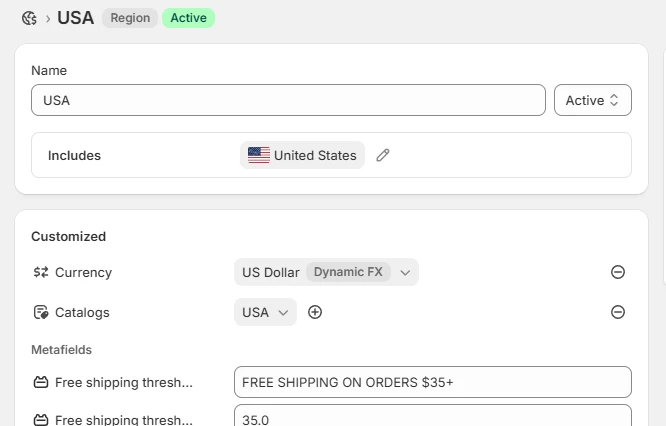
Create a Market metafield. Open Settings > Metafields and metaobjects > Markets. Create a new definition, based on your requirements.
Add values for each Market. After creating the metafield definition, got o Markets > choose each Market you want to adjust. Set the new metafield to the required value. For example, the U.S. Market might get "Free shipping over 100 dollars" while international Markets might get "Free shipping over 150 dollars."
Open the theme editor and place the dynamic content. Find the section or block where you want the message to appear. This might be an announcement bar, product description block, or a custom section.
Connect the metafield. Click the dynamic source icon next to the field. Select your Market metafield. Save your changes.
That’s it. The theme now displays Market aware content without duplicate templates or custom coding.
When this method works well
This approach is best suited to lightweight messages that change by Market. You’re not replacing full layout differences or complex logic, but you can adjust key details that guide buying decisions. Because metafields are editable by non technical staff, teams can update content independently from developers.
It’s also helpful for stores in growth phases. A merchant moving from one or two Markets to several can maintain clarity across regions without rethinking the entire theme structure. The content stays controllable in one place, which means fewer errors when scaling.
FAQ
Can I use this for long form content? Yes, but keep things manageable. Short or medium text fields work best. If you need long content, a rich text metafield can also be used.
Do customers need to select their Market manually? Not usually. Shopify detects Markets based on domain, or you can let visitors choose using the selector.
Does this replace per-Market themes on higher plans? Not fully. Higher plans still provide more granular control over settings and sections. This method is a practical workaround for content variations.
Can I reuse the same metafield in multiple places? Yes. That’s one of the strengths of this approach. Change the metafield value once, and every linked block updates.
Wrapping up
Market metafields offer a clear, low friction way to localize content when your Shopify plan doesn’t include per-Market theme editing. By treating each Market’s content as data instead of design, you reduce overhead and keep your storefront aligned. Along with other SEO-related tags, It’s a simple change that supports growth as your Markets expand.