How to optimize Shopify collection pages for conversion and SEO
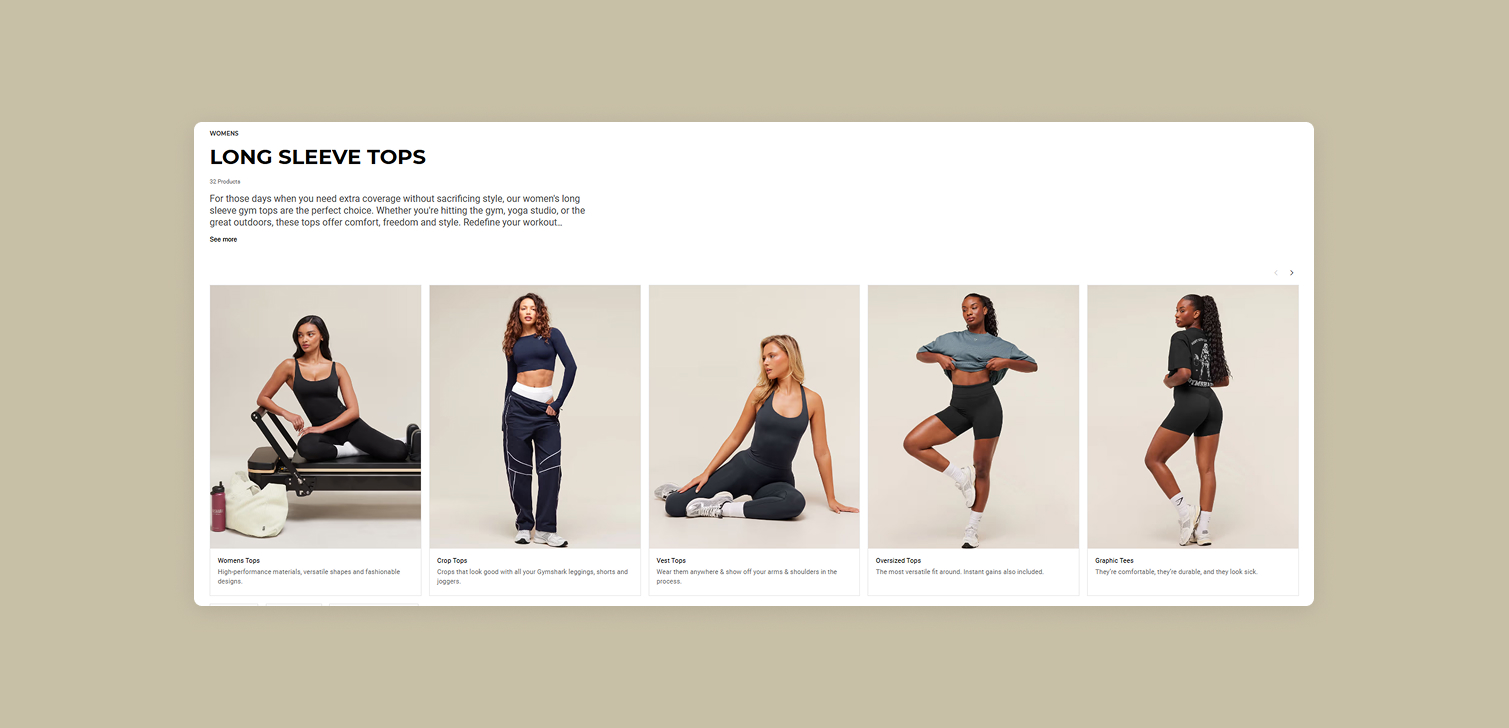
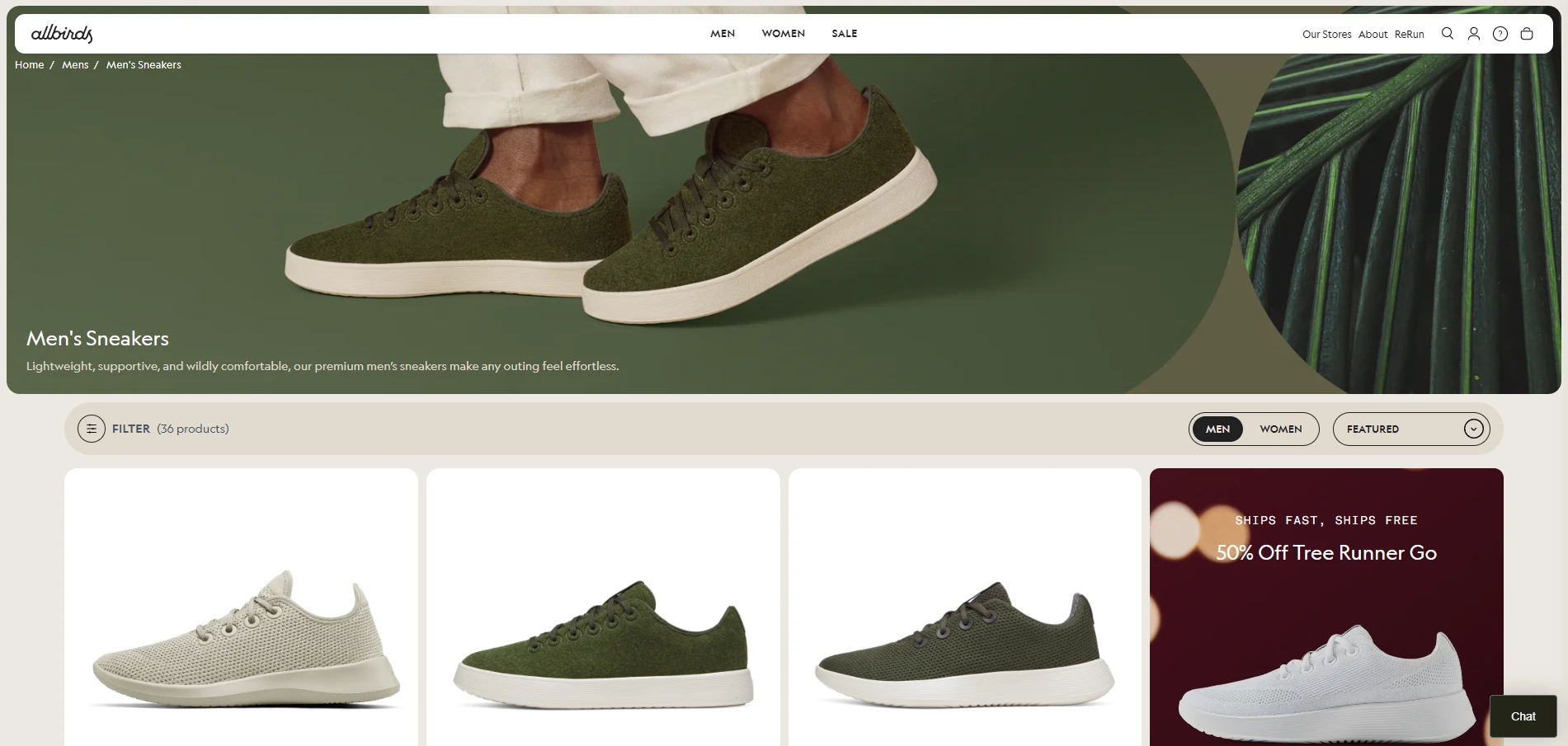
On many Shopify stores, collection pages get almost no design or content attention. They are often left as default templates that only show a title and a grid of products. Technically it works, but it also leaves a lot of value on the table.
A collection is not just a bucket in your backend. It groups products that share a context, like "running shoes," "office chairs," or "vitamin C serums." Visitors land there with a specific intent and a set of questions in their head.
If you treat these pages as real content, not just structure, they can support conversion, improve SEO, and make it easier for people to choose the right product.
Why Shopify collection pages deserve real design attention
Think about how people reach a collection page on Shopify:
From an ad that links directly to a category like "Men's hoodies"
From your main navigation
From internal links on the homepage or blog
From Google search results for a category-level query
In all these cases, the collection page is not a neutral list. It works like a category landing page. It has to:
Confirm the visitor is in the right place
Explain what is special about this group of products
Help them move toward the right item without friction
If the page only shows a title and products, the user has to figure everything out themselves. When you add a bit of structured content around the grid, you reduce that effort and guide them more naturally.
On Shopify, and outside sufficient and representative filtering, you can do this using theme sections, dynamic sources, and metafields so that each collection carries its own helpful content without custom development for every page.
CRO content improvements for Shopify collection pages
For conversion, focus on two content areas: the content above the product grid and the content at the bottom of the page.
Above the product grid
The top of the collection is the first thing visitors see. Use that space to sell clearly, not just decorate.
You can add:
A short intro paragraph that explains the collection in simple terms
Bullet points for store or category-level USPs, for example:
"Free shipping over $50 on all running gear"
"60 day returns, even after trying them indoors"
"Wide sizes available in most models"
Small icon rows that highlight things like warranty, delivery times, or quality standards
In Shopify, this can be implemented as a custom section that pulls content from collection metafields. That way, non-technical staff can edit the copy for each collection without touching the theme code.
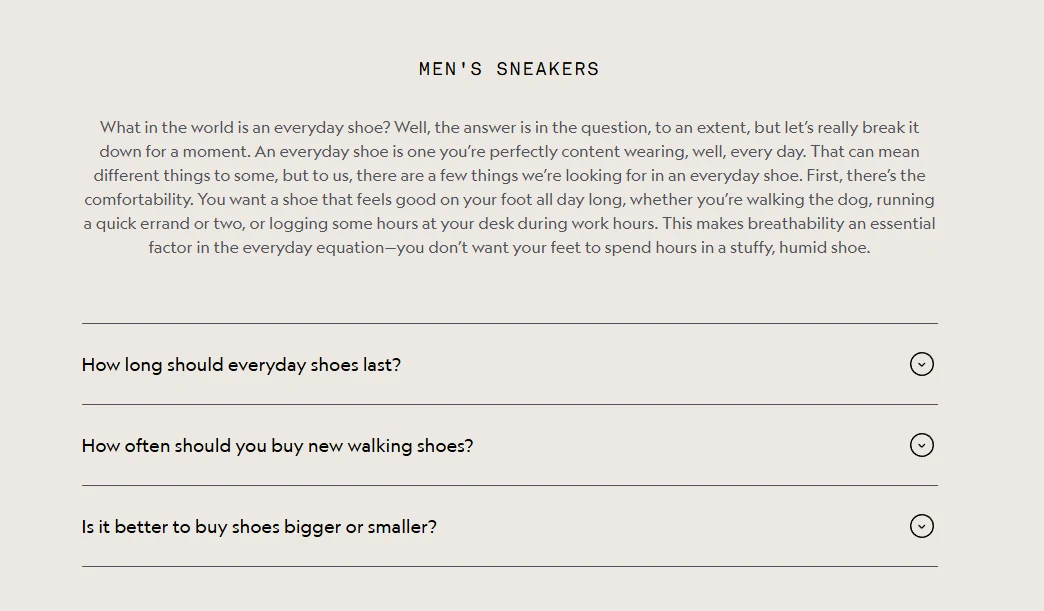
Collection-specific FAQs
If your support inbox or chat shows recurring questions about a category, turn those into an FAQ at the bottom of the collection page. For example:
"How do I choose the right size hoodie?"
"Are these chairs suitable for 8+ hours of work?"
"Can I combine discount codes with bundle offers?"
Practical ways to implement this in Shopify:
Use a collapsible content or FAQ section in your theme, linked to collection metafields for questions and answers
Add an anchor link near the top of the page like "Jump to FAQs" for users who want answers before they browse
This helps both first-time visitors and returning customers who need one last piece of information before buying.
SEO improvements for Shopify collection pages
SEO on collection pages is about showing search engines that this page fully addresses the query behind the category.
Titles and headings
Sometimes your internal collection name is not what people search for. Maybe the collection is called "SS24_Running" but users search for "men's running shoes."
In those cases you can:
Keep the internal collection handle for organization
Add a visible "SEO friendly" heading on the page that matches what users search
Use theme code so that the SEO focused heading is the h1, and the original collection title is an h2 or styled label
This keeps your frontend clean while aligning the front end with search intent.
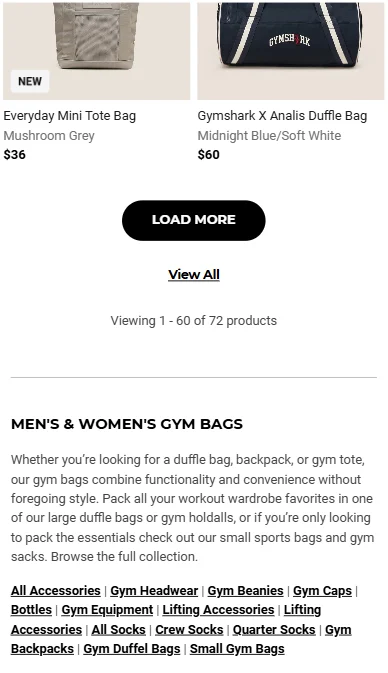
Content at the bottom of the page
If your theme uses pagination instead of infinite scroll, the bottom of the page is a great place for extra content. Use it for detailed, helpful text that a real buyer would value, such as:
How to choose the right product within the collection
Key features to compare (materials, fit, use cases, compatibility)
Care or usage guidelines that apply to all items
Simple "good, better, best" breakdowns for shoppers who feel lost
On Shopify, you can add a rich text section or a custom section that pulls from a long-text metafield on the collection. This keeps the content flexible and easy to update.
The goal is to turn the page into something that answers most questions about that category, so Google sees it as a strong candidate for category-level searches.
Implementing this in Shopify themes and workflows
To make this sustainable, you want a structure that does not require a developer for every small change. A common pattern:
Add metafields to collections:
Short intro text
Bullet USPs
Long description or "guide" content
FAQ questions and answers
Update your theme to read these metafields into:
A hero or intro section above the grid
A content block or FAQ section at the bottom
Document for your team how to fill in these fields when creating new collections
This keeps the logic in the theme and the content in the admin, which is ideal for a growing catalog.
FAQ
Do all Shopify collections need this level of content? No. Start with collections that get the most traffic from ads, navigation, or search. Apply the full pattern there. For minor or utility collections, keep it lighter.
Won't extra content push products too far down? You can keep the intro short and move deeper explanations to the bottom. Use collapsible sections for FAQs so the page stays compact but information is available.
How do I avoid repeating the same content everywhere? Use store-level USPs sparingly above the grid, then keep the detailed content and FAQs specific to the collection. Metafields help keep this structured.
Can I do this with a standard Shopify theme? All official themes support adding sections and dynamic sources. For more advanced layouts, a developer can wire up the metafields and sections so your team can manage the content from the admin.
Conclusion
Collection pages are not only a way to organize products in Shopify. They are part of the experience your customers see and use. When you treat them as real pages, with clearly designed copy, structured FAQs, and useful guides, they support both conversion and SEO.
There is rarely a good reason to leave them as bare product lists when a few focused changes can make them work much harder for your store.